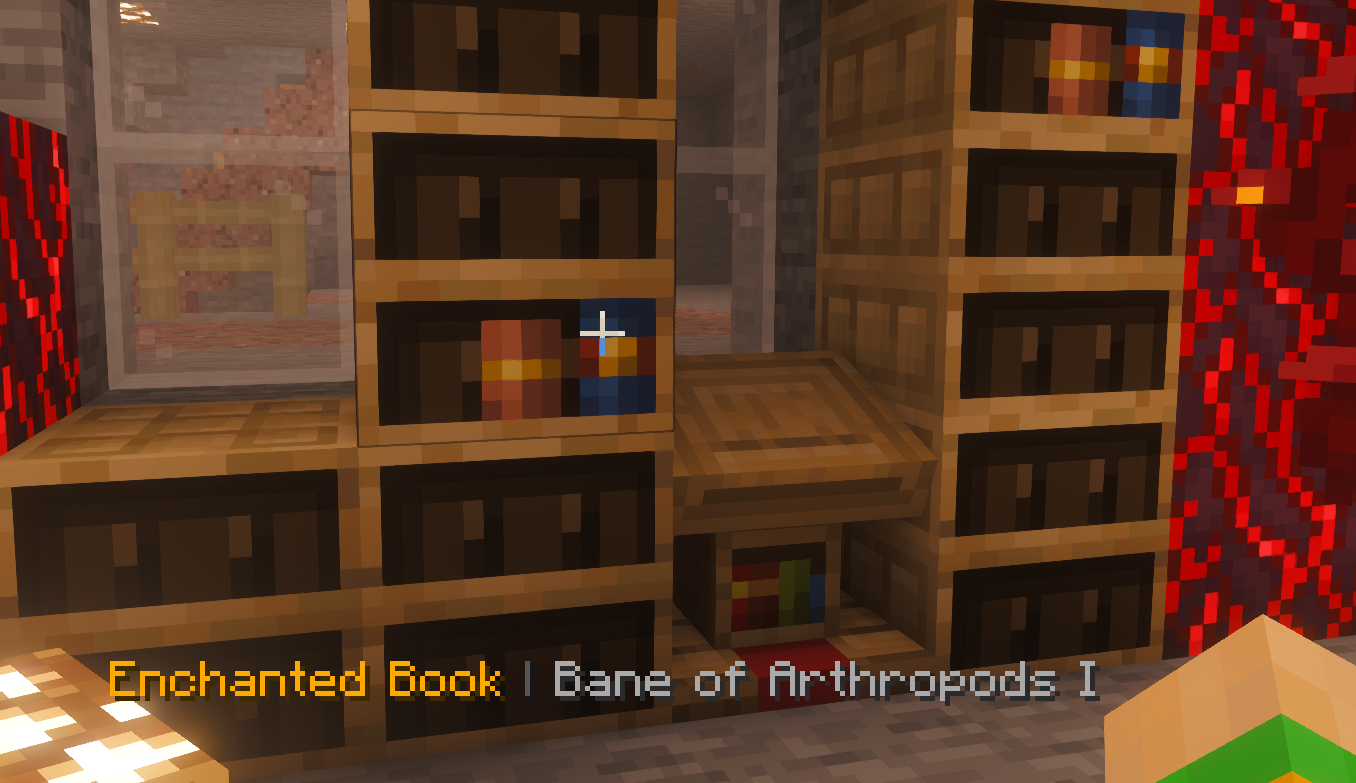
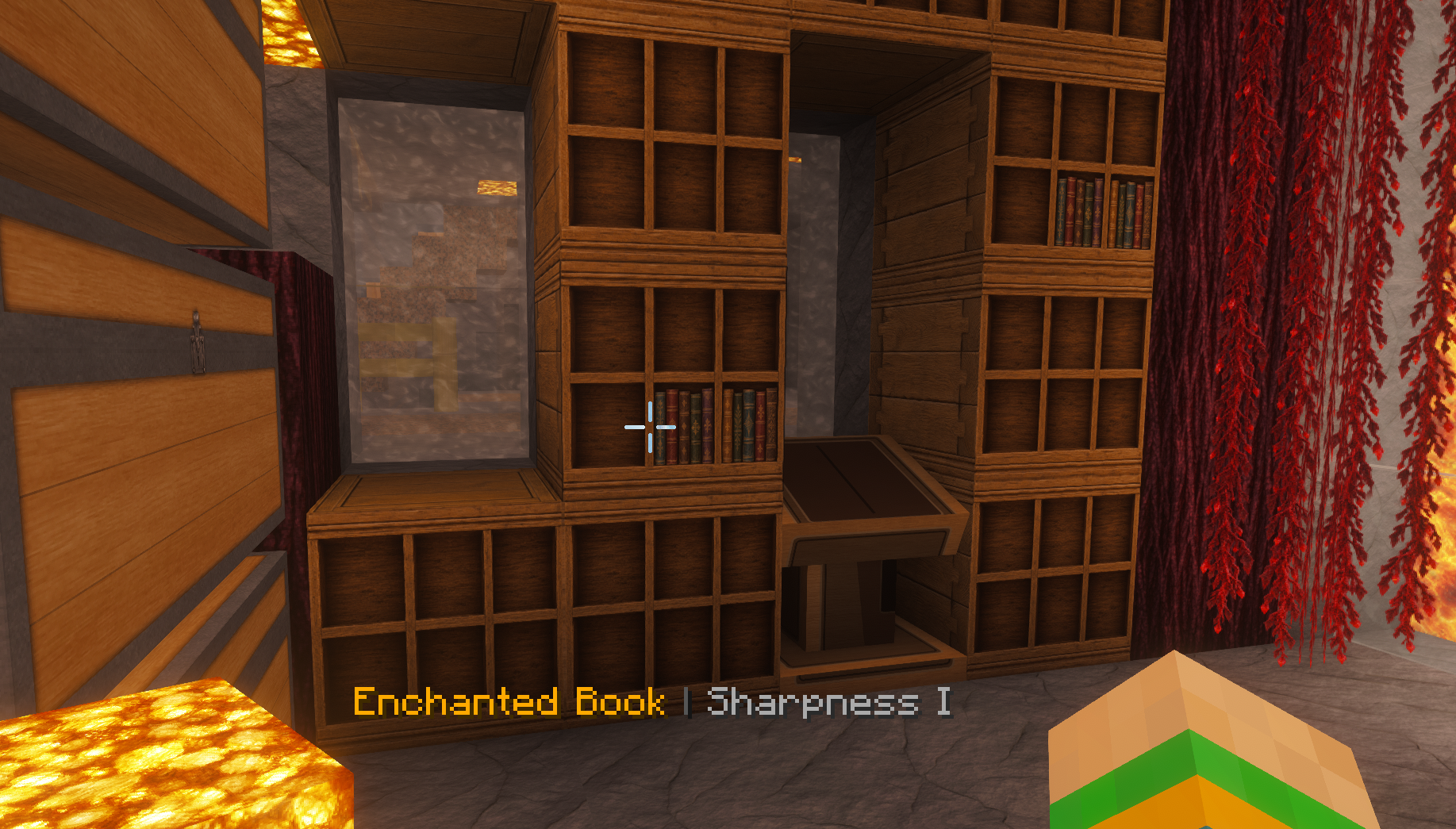
Aim at an occupied slot in a chiseled bookshelf: book titles and enchantments with levels appear above the hotbar. You do not need to take out a book.
Minecraft Java 26.3
Fabric server & single player
Realm datapack
Optional Fabric client
Release 1.0
01 / 0202 / 02
Touch an image or focus it with the mouse
Download
The right edition.
Please compare the Minecraft version, platform and requirements before installing. Release ZIPs must be extracted according to their respective manuals.
READY
Complete package: client, server & Realm · 1.0
One ZIP with client, server and Realm, instructions for each variant and a complete manual: equally detailed DE and EN, step by step. Client and server contain the same Fabric JAR; Realm contains the datapack.
The complete separate DE/EN manuals are in 02_Install in the complete package; product information and terms of use are in 01_Info.
Client JARs belong in the mod folder actually loaded by your installation. If your Iris/Sodium profile uses the reserved folder, place the JAR for Minecraft 26.3 directly in %APPDATA%\.minecraft\iris-reserved\26.3. Do not create an additional mods subfolder. Other Fabric profiles or launchers may use other folders; Iris and Sodium do not require this path in every installation.
Before making changes, close Minecraft, replace the old mod version in the relevant profile, provide matching dependencies and start that exact profile. Install server JARs and Realm datapacks according to their own instructions.
02
Features
The targeted occupied slot determines which book is displayed.
Written books show their title; other books show their anvil name or item name.
Enchantments appear with their level and in the player's language.
Empty slots, rear faces and obstructed bookshelves show nothing.
Books and bookshelf inventories remain unchanged.
03
Choosing the right variant
On a Fabric server, only the server component is needed; vanilla clients also receive the display. In Fabric single player, the same JAR works through the integrated server.
Java Realms and vanilla servers require the separate datapack. The Fabric server mod and datapack are alternative backends.
The optional Fabric client provides local control of the native display. A client alone cannot read unknown book data on an unmodified vanilla server or Realm.
04
Requirements
Minecraft Java 26.3.
Fabric: Java 25, Fabric Loader 0.19.5+ and Fabric API 0.160.5+26.3.
Realm: datapack in the world; players need no mod or resource pack.
05
Installing the client / single player
Close Minecraft completely.
In the Minecraft Launcher, prepare a Fabric profile for Minecraft 26.3 with Java 25. Use Fabric Loader 0.19.5 or later.
Extract the complete package. Open 04_Client.
Open the game folder of that exact profile. The default Windows profile uses %APPDATA%\.minecraft; custom profiles may use another game folder.
Open the mods subfolder in the game folder. If missing, create a folder named mods.
Remove any previous Bookshelf JAR from this mods folder. Leave other mods unchanged.
Copy Lampa_Systems-Chiseled_Bookshelf-V1.0-26.3.jar from 04_Client into this mods folder. Do not extract it. Do not put it in resourcepacks or datapacks.
Place the Fabric API JAR matching Minecraft 26.3 in the same mods folder. Fabric API is not included in the complete package.
Select the prepared Fabric profile in the launcher and start Minecraft.
06
Installing on a Fabric server
Shut down the Fabric server properly with stop and wait until the process ends.
Check that this server starts Minecraft 26.3 with Fabric Loader 0.19.5 or later using Java 25.
Extract the complete package and open 05_Server.
Open the mods folder in the actual server directory. If missing, create a mods folder there.
Remove any previous Bookshelf JAR from this mods folder. Leave other server mods unchanged.
Copy Lampa_Systems-Chiseled_Bookshelf-V1.0-26.3.jar from 05_Server into the server's mods folder. Do not extract it.
Place the Fabric API JAR for Minecraft 26.3 in the same server mods folder. It is not included in the complete package.
Do not also activate the Bookshelf Realm datapack in this world. If already installed, follow its uninstall instructions first.
Start the server and check the startup log for lampa_bookshelf 1.0 being loaded.
07
Installing on a Java Realm
As the Realm owner, download the intended Realm world. Keep the current world state; a later upload replaces the world on the Realm.
Open the folder of the downloaded local world. On Windows, the default profile stores it under %APPDATA%\.minecraft\saves\<worldname>.
Open the datapacks subfolder in this world folder. If missing, create datapacks there.
When updating, remove only the previous Bookshelf datapack ZIP. Keep other datapacks.
Copy Lampa_Systems-Chiseled_Bookshelf_Realm_Datapack-V1.0-26.3.zip from 06_Realm into this datapacks folder without extracting it. Do not use the outer complete package.
Open the local world in Minecraft 26.3. If you have command permissions, run /datapack list enabled and check for lampa_bookshelf. Otherwise, perform the functional test directly.
Aim at an occupied bookshelf slot from the front within 4.5 blocks and check the display above the hotbar.
Save and leave the local world before uploading it.
In Realm management, upload the modified local world to the intended world slot. Note: the upload replaces its world state.
Activate the correct world slot, enter the Realm and repeat the functional test there.
08
Controls
Fabric: /bookhover shows the status; /bookhover off and /bookhover on toggle the display.
Realm datapack: /trigger bookhover set 1 turns it off, /trigger bookhover set 2 turns it on.
The toggle commands require no operator permissions. Use the trigger commands on Realms.
09
Test status and limitations
Release 1.0: production build, 323 local server/datapack checks and a separate actual Fabric client run succeeded. David confirmed functionality and approved Release 1.0. The exact user test setup was not specified; this does not establish a separate live Realm test.
The native display uses vanilla slot selection with collision checks. The datapack checks up to 4.5 blocks four times per second; differences are possible directly at slot boundaries.
The datapack supports the 43 vanilla enchantments in 26.3. Additional datapack enchantments require an extension. The native variant supports registered enchantments.
The native variant respects filtered written book titles. The Realm datapack shows raw titles and does not evaluate individual text filtering settings.
Very long titles and enchantment lists may exceed the actionbar width. Other actionbar displays may overlap.
Image notice
Branding and concept graphics may be created with AI assistance. Images labelled as in-game screenshots come from the game. Further information is in AI transparency.